Blog · · Said, founder
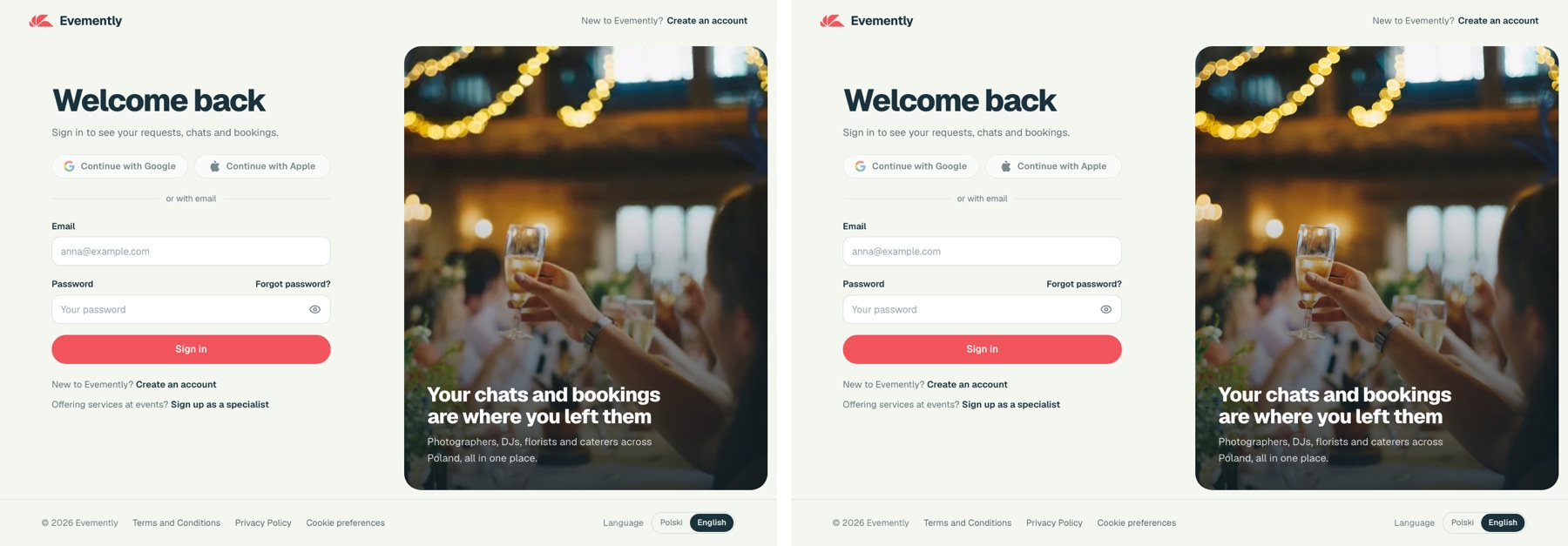
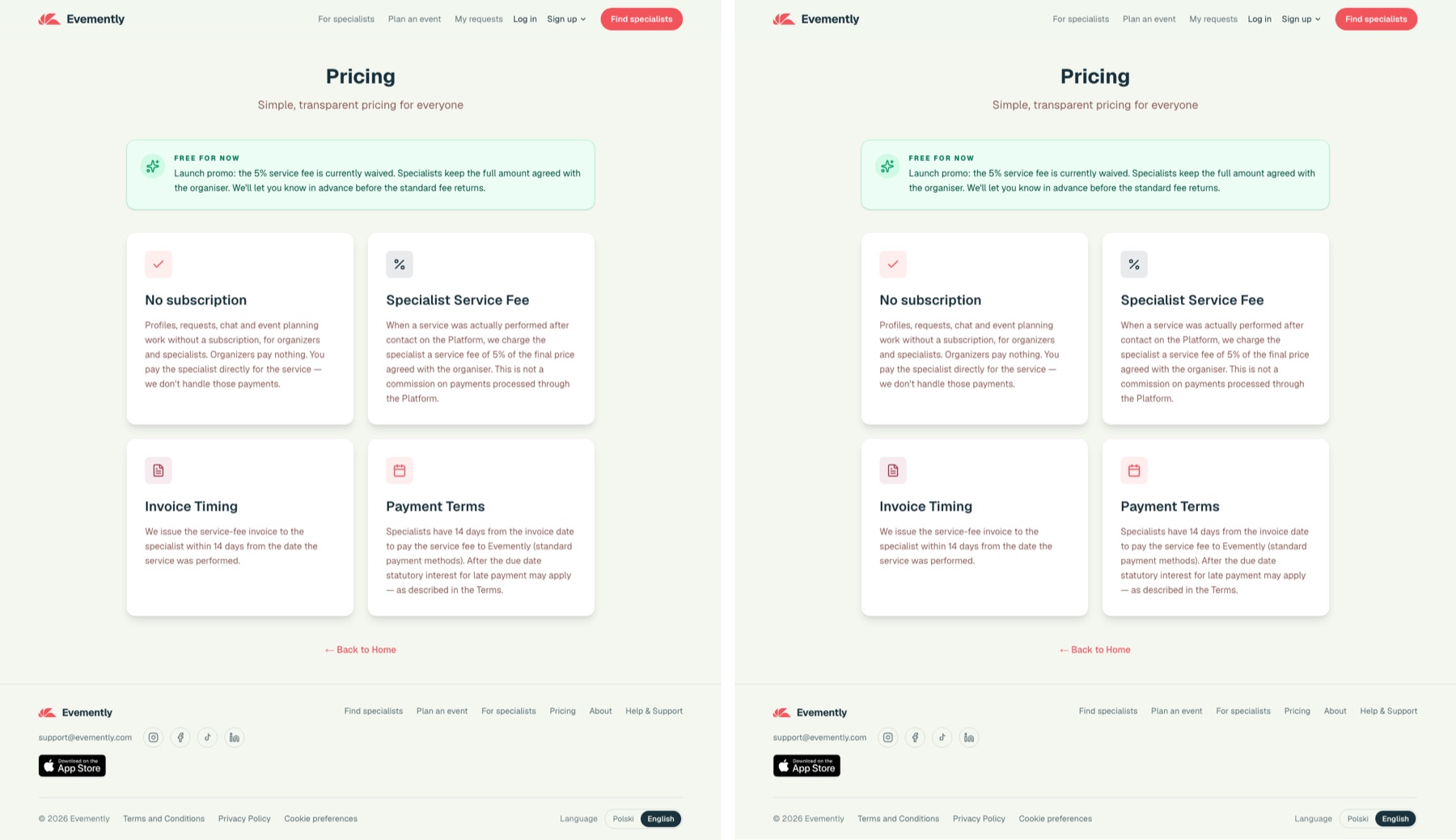
We rebuilt two real screens from Specimo alone. They matched the original to 99.8%.
Specimo makes one promise: your agents build with your exact tokens, components and approved screens, so what they build matches your product. That's easy to say, so we tested it on a real app.
The app is Evemently, an events marketplace I run. It has a real codebase (Next.js, Tailwind, CSS modules), a real brand, and the usual drift you get from a year of shipping fast.
The test
- Move two screens into Specimo. An agent that could see the Evemently code turned the English login and pricing pages into Specimo screens, using the tokens and components we had already imported. It took 2 minutes 38 seconds.
- Start over with nothing. In a brand-new, empty React project, a fresh agent got one instruction: build these two pages so they look exactly like the screens in Specimo. It had a read-only Specimo token and no access to the Evemently code.
- Compare pixels. We screenshotted the real Evemently pages and the rebuilt ones at the same size (1280 px wide) and counted the pixels that differ, using pixelmatch at its standard sensitivity.
We ran the rebuild in two ways: the agent using Specimo over MCP only, and the agent using MCP plus the Specimo CLI, which writes tokens and screens straight into the project as files. Claude Code, Sonnet 5.5, headless, same prompt apart from one paragraph about the CLI.
What came out
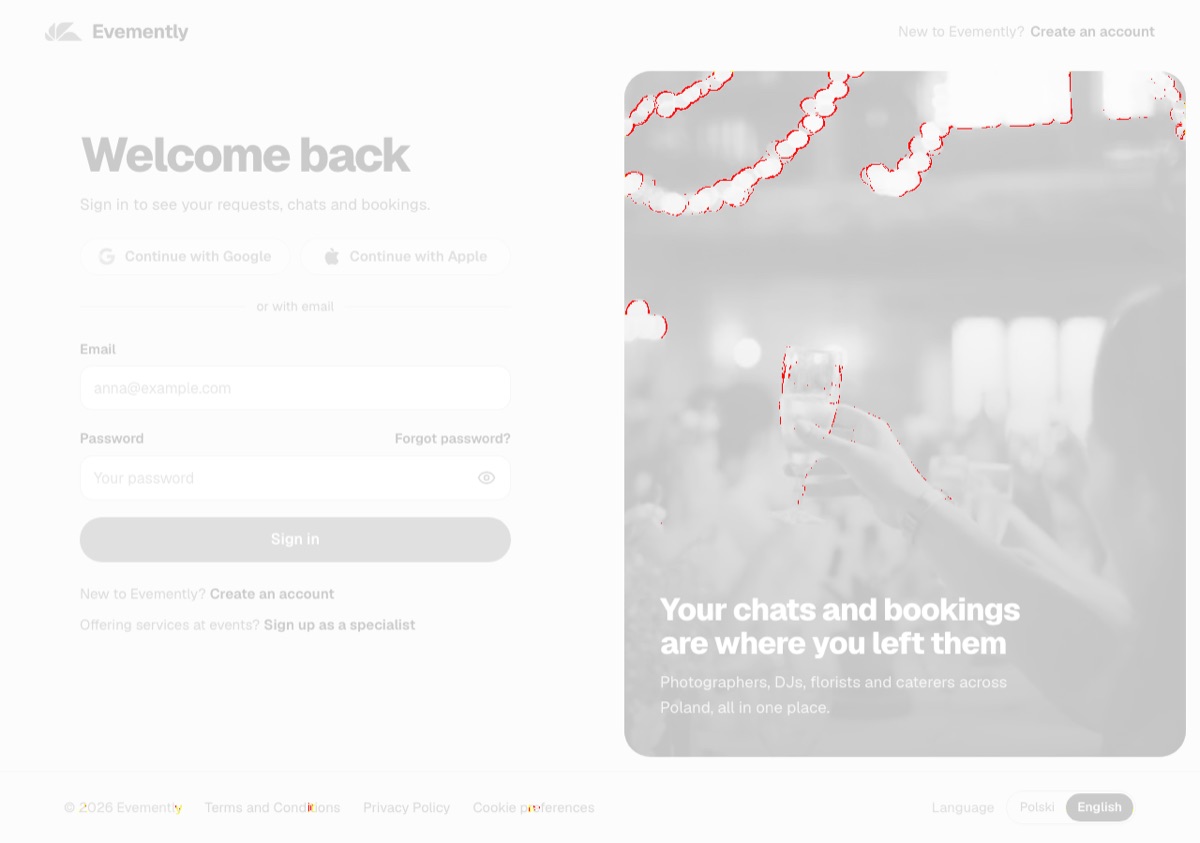
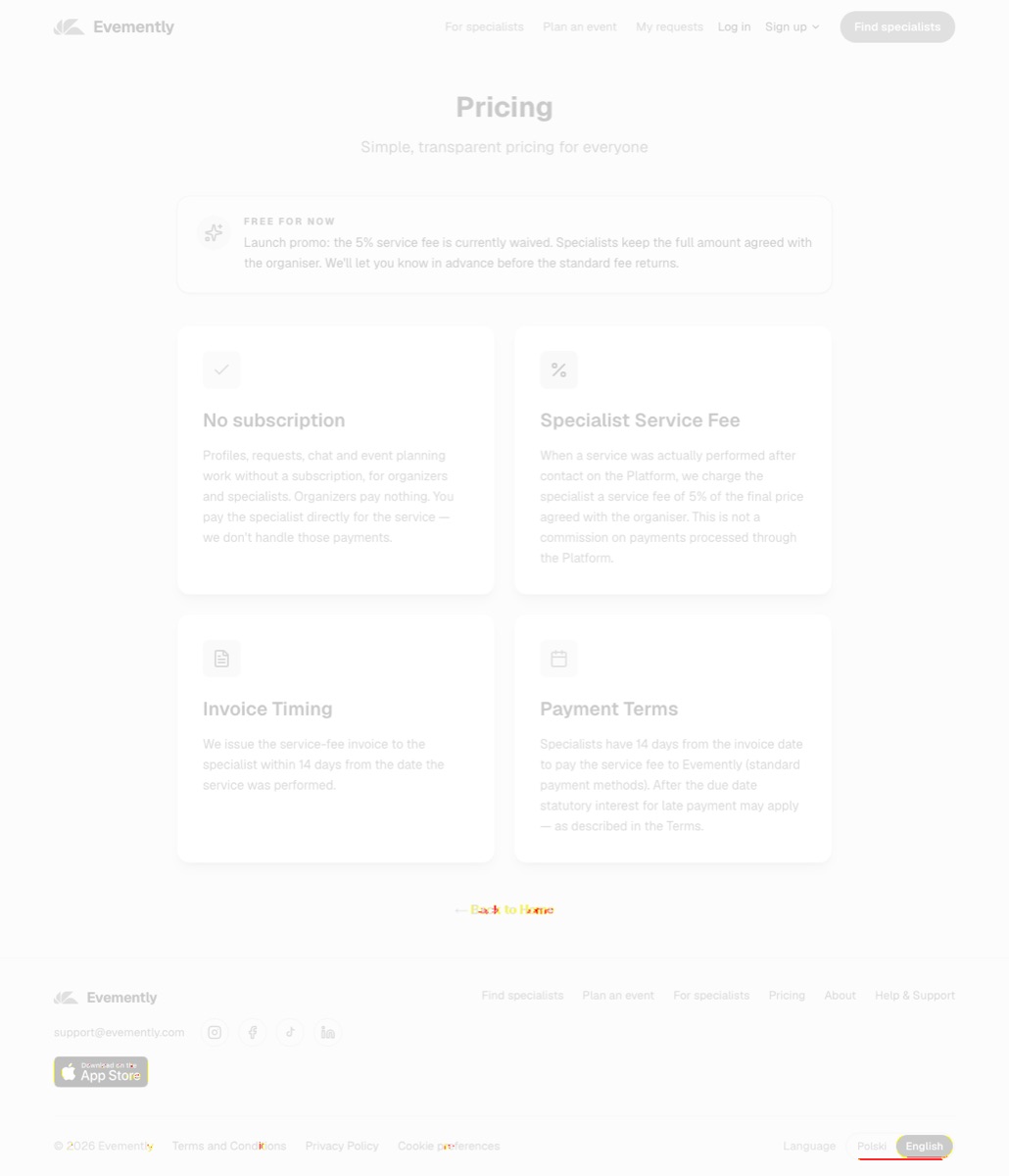
The diff maps make it easier to see what's different. Red pixels differ; everything else is the same.
| Login | Pricing | |
|---|---|---|
| Pixels that match the real page | 99.81% | 99.98% |
| What's different | the hero photo (re-compressed on upload), footer anti-aliasing | anti-aliasing on the "Back to Home" link and language toggle, 1 px of page height |
Layout, spacing, type, colours, radii, shadows, icons and copy all match. 10 of the 11 rebuilds we ran, in both modes, rendered byte-for-byte identical to the screen in Specimo (the eleventh is the CSS collision described below, since fixed). So the tiny remaining difference comes from moving the page into Specimo, not from the agent guessing.
MCP only vs MCP + CLI
Both modes produced the same pixels. The difference is how much work it took.
| Median per run | MCP only (4 runs) | MCP + CLI (3 runs) | Change |
|---|---|---|---|
| Time | 146 s | 29 s | 5× faster |
| Cost (list price) | $0.56 | $0.16 | 71% cheaper |
| Tokens the agent wrote | 25.3k | 3.4k | 86% fewer |
| Total tokens, incl. cached context | 442k | 299k | 32% fewer |
| Specimo MCP calls | 10.5 | 1 | |
| Pixel match (login / pricing) | 99.81% / 99.98% | 99.81% / 99.98% | same |
With MCP only, the agent reads each screen's markup and styles into its context and then types every line of the page back out. With the CLI, specimo screen login --out src/screens writes a complete Login.tsx and Login.css straight to disk, and specimo tokens --format css does the same for the tokens. The agent wires them up and is done.
What we fixed along the way
The first CLI runs weren't this good: 62 seconds, and the agent still made six MCP calls and about fifteen hand edits. Watching what it did showed three gaps in our screen export:
- Image and icon references (
asset:logo) weren't turned into real URLs. - Components a screen used through their CSS classes, instead of the component tag, lost their styles.
- Two exported screens in the same app shared class names like
.page, so their CSS collided: one run scored 96.8% on pricing instead of 99.98%. Specimo's own preview never shows this, because it renders one screen at a time.
We fixed all three: references are resolved, the styles come with the screen, and each screen's CSS is scoped to that screen. Then we re-ran. That's where 29 seconds and one MCP call come from. This is what the test was for.
Caveats
- Two pages, one app, one model, a handful of runs per mode. Treat the numbers as a strong signal, not a benchmark.
- Both pages are mostly static. Pages full of live data will need data wiring that no design tool can do for you, though the layout and styling still come from the export.
- We measured at one desktop width. The screens are responsive, but we didn't score other sizes.
- We build Specimo. The prompts, scripts and raw results are available on request, and we'll publish the harness alongside our larger UI-parity study.
Try it on your own app
Connect your agent to a Specimo project (Project → Connect agent). For writing code, add the CLI:
npm i -g @specimo/cli
specimo login --token adp_…
specimo init
specimo init adds a short block to your AGENTS.md / CLAUDE.md telling your agent to use the CLI for files and MCP for conversation. MCP alone gets you the same pixels, just more slowly. Setup guide · @specimo/cli on npm.