Blog · · Said, founder
Agents can build UI. Getting them to build your UI is the hard part.
Ask an agent for a settings page and you'll get a good-looking settings page. It just won't quite be yours. The grey is a shade off. The padding is 12 px where your product uses 16. There's a button style nobody designed, and a heading size that exists only on that one screen.
None of it is wrong enough to block the merge. That's the problem. Each agent-built screen drifts a little, the drift compounds, and six months later your product looks like it was designed by twenty different people. In a sense it was.
We call the opposite UI parity: what the agent ships matches the approved design exactly, on every screen and every platform. It's one of the least-discussed problems in agentic development, and one of the most expensive.
Why agents drift
An agent writing UI has to get your design from somewhere. Usually that means one of three places, and none of them is reliable.
- The existing code. The agent greps for a similar component and copies its values. If that code had already drifted, the agent copies the drift, or invents a new variant because it couldn't find the right one.
- A screenshot or a Figma link. The agent estimates from pixels. 14 px or 16 px?
#1F2937or#111827? It's guessing, and it guesses differently every session. - A description in the prompt. "Use our brand colours, keep it consistent." Prose can't carry a spacing scale.
Every session starts from zero, so every session guesses again. Small differences pile up and nobody owns them: the designer doesn't see the code, and the reviewer can't spot a 2 px difference in a diff. Building a second platform doubles the drift, because now the mobile app is guessing from the web app's guesses.
Better models don't fix this. A smarter agent guesses more plausibly, but it's still guessing. The fix has to be in the pipeline.
What Specimo changes
Specimo gives your product's design one home that both people and agents use.
- One source of truth. Tokens, components and screens live in Specimo. People review them visually and approve them. Agents can propose; only humans approve.
- Agents read it directly. Over MCP, an agent asks for the approved screen, the tokens and the components. It doesn't need to search the codebase or estimate from screenshots.
- Code comes from a deterministic export, not a guess.
specimo screen checkout --out src/screenswrites the approved screen as ready-to-use files. The same input always gives the same output, and no model is involved in the translation. Parity becomes a property of the pipeline, not of how careful the model was that day. - Parity is measured, not claimed. We screenshot the real product and the rebuilt version at the same size and count the pixels that differ.
The numbers
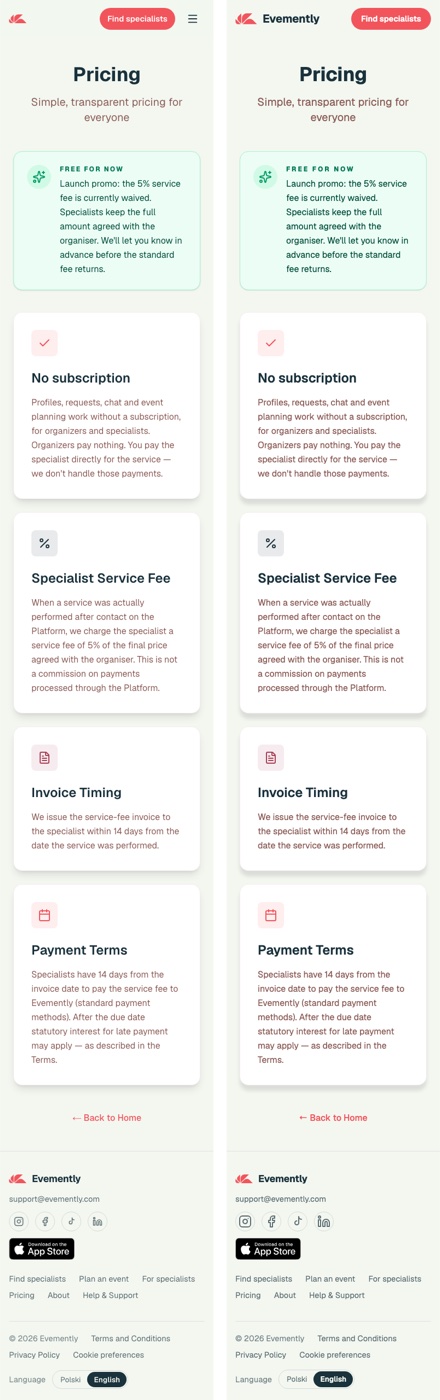
Web. We took two real screens from Evemently, an events marketplace I run. A fresh agent then rebuilt them in an empty project, with no access to the Evemently code. The rebuilds matched the real pages at 99.81% (login) and 99.98% (pricing) of pixels. 10 of the 11 rebuilds rendered byte-for-byte identical to the screen in Specimo. With the Specimo CLI, the rebuild was 5× faster and 71% cheaper than over MCP alone. Read the full case study.
Every stack. Most teams don't ship one stack. So we exported the same two Evemently screens from Specimo to every stack we support, out of the box, with no agent edits. We rendered each export the way that stack renders and compared it with the real web page pixel by pixel.
| Stack | Rendered in | Login | Pricing |
|---|---|---|---|
| React | Chrome, 1280 px / 390 px | 99.81% / 100% | 99.98% / 99.5% |
| Vue | Chrome, 1280 px / 390 px | 99.81% / 100% | 99.98% / 99.4% |
| Angular | Chrome, 1280 px / 390 px | 99.81% / 100% | 99.98% / 99.5% |
| HTML | Chrome, 1280 px / 390 px | 99.77% / 100% | 99.98% / 99.5% |
| React Native | react-native-web in Chrome, 390 px | 99.45% | 99.07% |
| Jetpack Compose (Android) | Android emulator, 390 dp | 97.2% | 94.3% |
| SwiftUI (iOS) | iOS simulator, 390 pt | 94.6% | 91.6% |
The web stacks keep the designed HTML and CSS, so they render exactly like the original. React Native is drawn by the same browser engine in our test, so it lands at 99%. Compose and SwiftUI are drawn by their own text engines. Even with the layout pixel-perfect, a native renderer draws the letters slightly differently from Chrome, which costs 2–4% on text-heavy areas. iOS also moves a word down to avoid a one-word last line, and SwiftUI can't turn that off. These are the floors, and the right goal on mobile is "matches the design", not "copies Chrome's anti-aliasing".
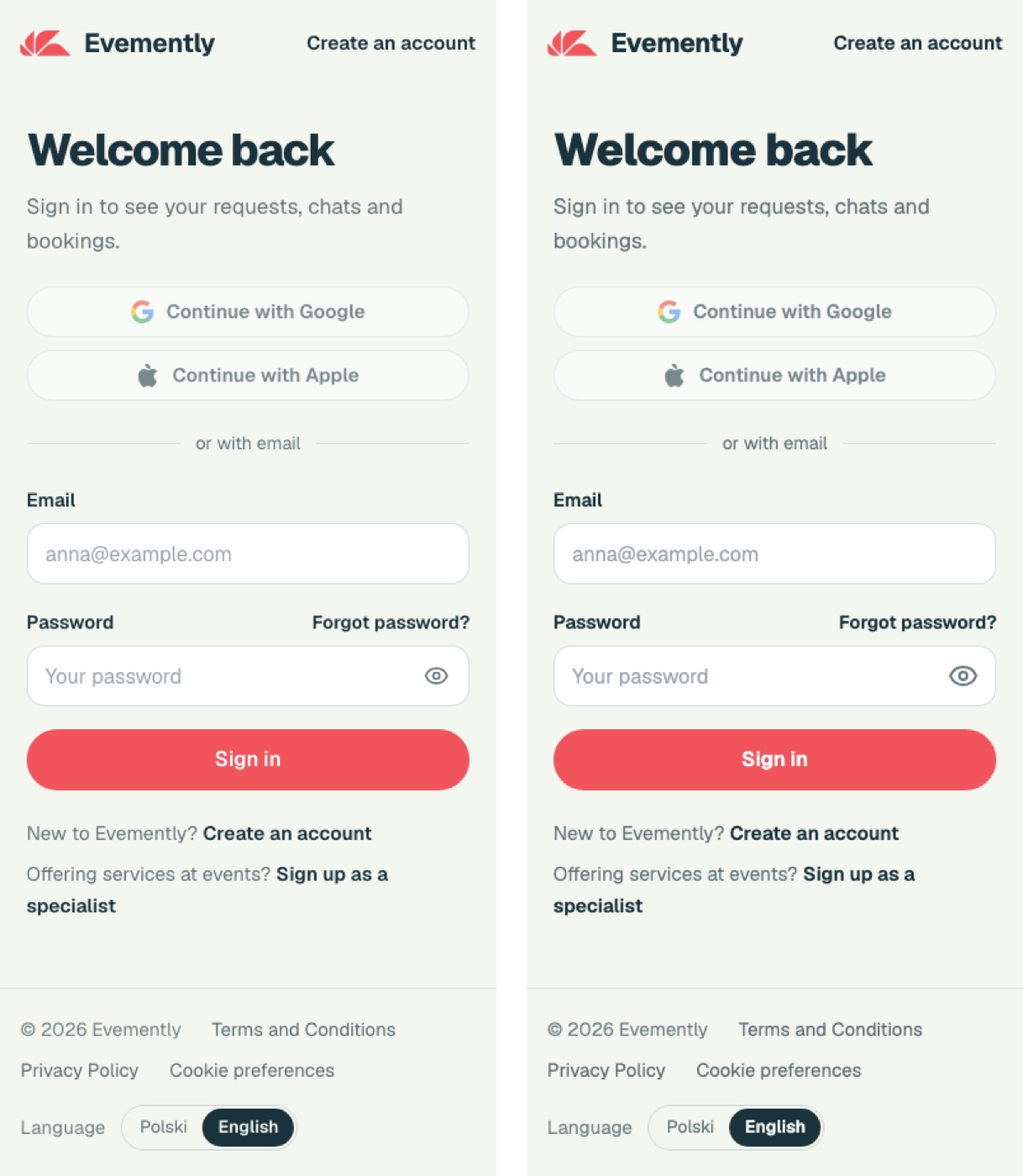
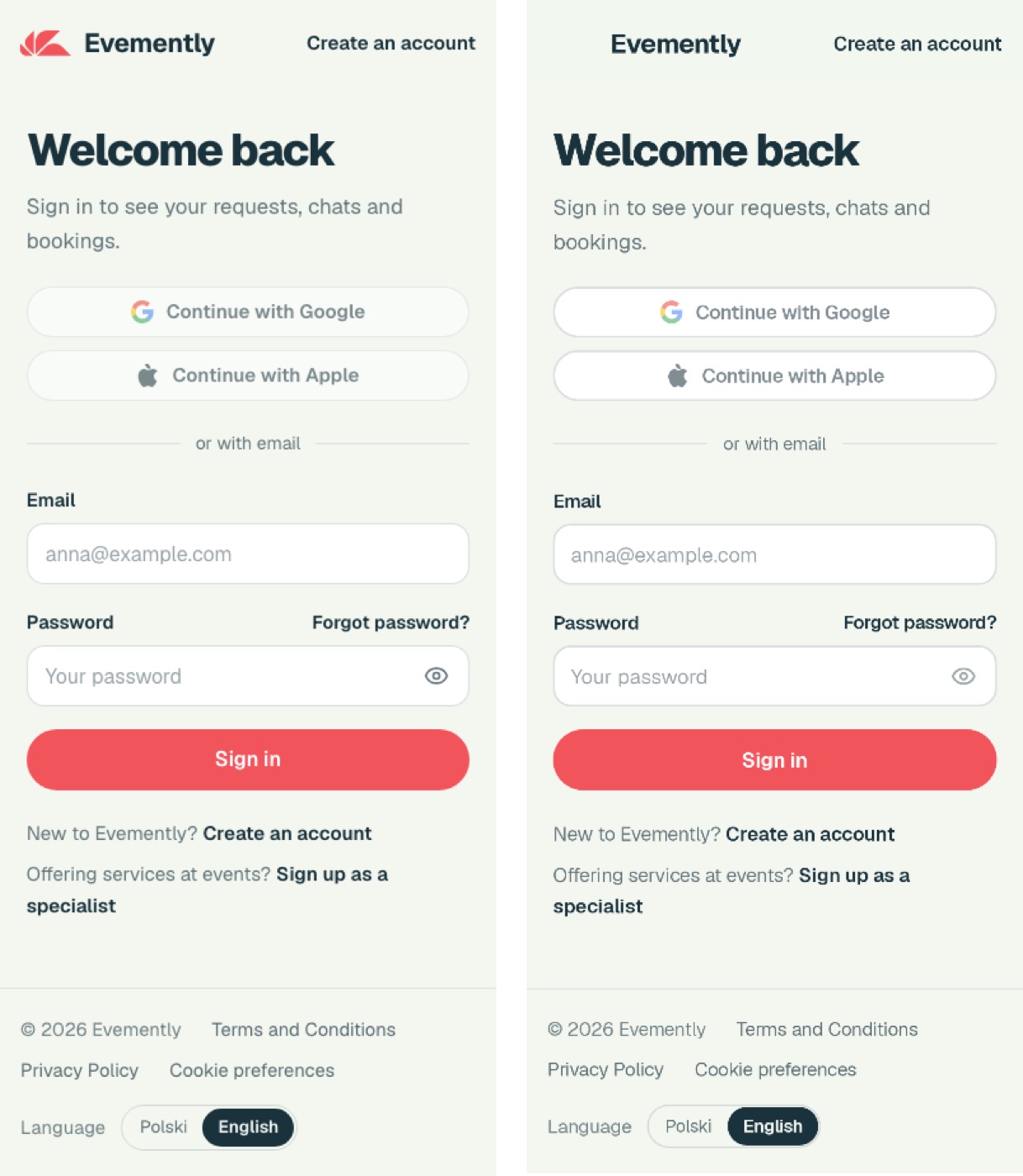
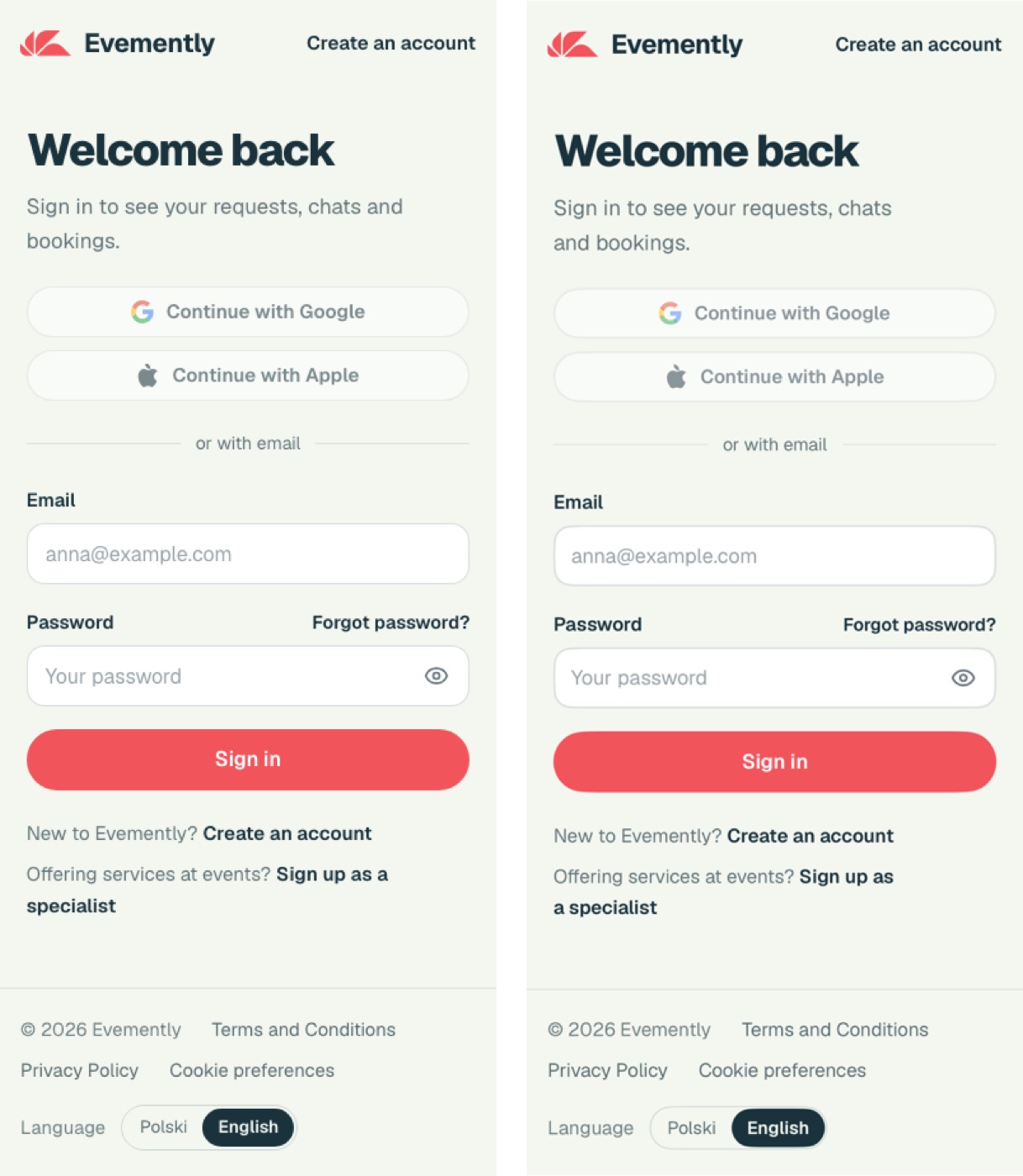
None of this came free. The first exports scored 84% / 93% (React Native), 88.7% / 92.4% (SwiftUI) and 92.2% / 92.9% (Compose). Each fix was a plain CSS rule that native platforms handle differently, never a tweak for one app:
- Media queries are evaluated for a phone.
- CSS grid becomes rows.
- Modern colour functions like
oklch()andcolor-mix()are converted. - A unitless
line-heightis inherited as a multiplier; line heights tighter than the font shrink the line box, as CSS does. - Custom fonts load one file per weight.
:disabledand other static states are decided from the markup.- Negative margins pull boxes up.
Each new stack started higher than the last, because those rules live in one shared engine.
These numbers are a starting point, not a ceiling. The export also hands your agent a short TODO list: add the logo as an asset, wire up navigation, bundle the fonts. Resolving it closes most of the remaining gap. Design differences, like that header, are fixed once in Specimo, and every stack picks the fix up.
Why this works
- Deterministic beats careful. An agent that is told to be careful still varies from run to run. An export doesn't.
- Tokens are code. The export references your tokens (
c.brand,spacing.lg) rather than copying values, so a token change reaches every screen. - Approval is visual. Designers approve what they can see. Raw code sits behind a toggle for the people who want it.
- Gaps are visible, never silent. Anything the export can't translate (hover states, gradients, navigation wiring) comes back as a short TODO list instead of a quiet approximation.
Caveats
- Two screens, one app. Treat these numbers as a strong signal, not a benchmark.
- React Native was rendered in a browser through react-native-web; SwiftUI in the iOS simulator; Compose in the Android emulator at a phone's pixel density, scaled to 390 px. Each loaded Geist one file per weight, the way an app bundles it. We haven't scored them on physical devices yet.
- Data, navigation and interaction states still need wiring. The export lists them, but it can't write your business logic.
- We build Specimo. The prompts, scripts and raw results are available on request.
Try it
Connect your agent to a Specimo project (Project → Connect agent), then add the CLI so screens arrive as files:
npm i -g @specimo/cli
specimo login --token adp_…
specimo init
specimo screen login --out src/screens                       # React
specimo screen login --target react-native --out src/screens # React Native
specimo screen login --target swiftui --out Sources/Screens   # also: vue, angular, html, compose